
 See Our Latest Article on HelloNation
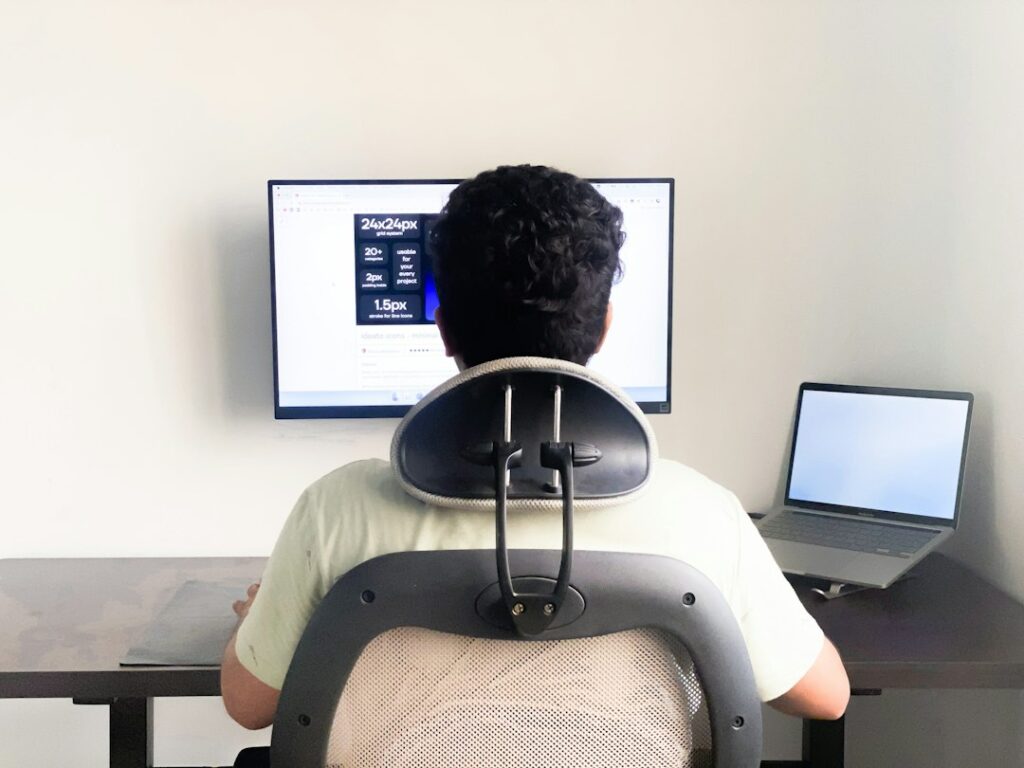
What is “tech neck”?
Tech neck is a common term for neck, shoulder, and upper-back discomfort associated with prolonged use of phones, tablets, laptops, and desktop computers. It is not a single medical diagnosis. Instead, it describes symptoms that may develop when the head stays tilted forward or the body remains in one position for long periods.
The head and neck are designed to move frequently. Holding them forward while reading, texting, working, gaming, or watching videos can increase the workload on muscles and joints. Over time, this may contribute to stiffness, aching, headaches, reduced neck movement, or soreness between the shoulder blades.
For residents of Blooming Grove, NY, screen habits can be especially noticeable during winter months, when more time may be spent indoors for remote work, schoolwork, entertainment, and household tasks. The goal is not perfect posture every minute. The goal is to change positions often and reduce long, uninterrupted periods of strain.
What are the early signs of tech neck?
Early symptoms often appear gradually rather than after one specific incident. Common signs include:
- Neck stiffness after using a phone or computer
- Aching across the shoulders or upper back
- Headaches that begin near the base of the skull
- Tightness when turning the head
- Tingling, numbness, or discomfort extending into an arm
- Soreness that improves after moving around but returns during screen use
A temporary ache after a long work session does not necessarily indicate serious damage. However, recurring symptoms suggest that screen setup, movement habits, sleep position, or workload may need attention.
How should a computer or laptop be positioned?
A screen should be arranged so the head can remain balanced over the shoulders rather than drifting forward. For most desk work, the top portion of the monitor should be near eye level, with the screen positioned directly in front of the user.
A practical setup includes:
- Keep the screen about an arm’s length away, adjusting for comfortable reading.
- Place the monitor directly in front of the body to avoid repeated neck rotation.
- Keep the shoulders relaxed rather than lifted toward the ears.
- Let the elbows rest near the sides, with the forearms supported when possible.
- Keep both feet supported by the floor or a stable footrest.
- Use a separate keyboard and mouse if raising a laptop makes the keyboard uncomfortable to reach.
A laptop placed flat on a kitchen table or low coffee table often encourages the head to bend downward. Raising the screen while using an external keyboard can help create a more balanced position. A stack of sturdy books may work as a temporary adjustment, provided the computer is stable and well ventilated.
How can phone use be made safer for the neck?
Phones are often used below chest level, which encourages prolonged downward bending. The simplest change is to bring the device closer to eye level instead of bringing the head down toward the device.
Try supporting the forearms on a pillow, armrest, or table during longer reading sessions. Switching hands, using voice-to-text, and choosing audio when practical can also reduce the amount of time spent holding the neck in one position.
Avoid cradling a phone between the ear and shoulder during calls. That position places the neck in a side-bent posture and may increase muscle tension. A headset, speaker function, or brief call with the phone held normally can reduce this strain.
Children and teenagers may need reminders because homework, games, videos, and messaging can blend into several hours of device use. Rather than focusing only on posture, encourage frequent movement and occasional screen-free activities that use the whole body.
How often should someone take a screen break?
Frequent brief changes are generally more useful than waiting for one long break at the end of the day. A person might stand, walk, stretch gently, refill water, or look across the room every 20 to 30 minutes.
A short movement break can include:
- Rolling the shoulders slowly
- Turning the head gently from side to side
- Standing and walking for a minute or two
- Changing from sitting to standing
- Reaching the arms overhead without forcing the movement
- Looking away from the screen and relaxing the eyes

Movement should feel comfortable. Stretching should not cause sharp pain, numbness, dizziness, or symptoms that travel down an arm.
Does “good posture” mean sitting perfectly straight?
No. There is no single posture that is healthy to hold all day. Even an upright position can become uncomfortable if it is maintained without movement.
A better goal is a varied posture. Sit upright for a while, lean back with support, stand briefly, and adjust the position of the screen or keyboard as needed. A chair does not need to be expensive to be useful; it should allow the feet to rest securely, the back to be supported, and the shoulders to remain relaxed.
Posture is also affected by fatigue. As concentration and energy decrease, people commonly slide forward, lean toward the screen, or rest the head in one hand. Adjusting screen size, text size, lighting, and workload may make it easier to maintain a comfortable position without excessive effort.
What household habits can contribute to neck strain?
Tech neck is not limited to office desks. Everyday device use may include looking down while sitting on a couch, reading in bed, using a tablet during meals, or carrying out household tasks while frequently checking a phone.
Seasonal routines can add to the problem. During colder weather, people may spend longer periods on indoor devices, while outdoor chores and recreation may decrease. A simple way to offset this is to combine screen time with regular standing, walking, and non-screen activities.
Sleep position can also affect morning symptoms. A pillow that forces the neck sharply upward or downward may contribute to stiffness. The neck should remain reasonably aligned with the rest of the spine, whether sleeping on the side or back.
Can exercises prevent tech neck?
Strength and mobility exercises may help support comfortable movement, but they should be performed gradually and without forcing the neck. Useful movements may include gentle chin tucks, shoulder blade squeezes, upper-back extension over the back of a chair, and controlled neck rotation.
A chin tuck is not the same as looking downward. To perform one gently, sit or stand tall and draw the head straight back as if making a small “double chin,” while keeping the eyes level. Hold briefly, relax, and repeat only if the movement feels comfortable.
Exercise should be modified or stopped if it increases pain, causes arm symptoms, or produces dizziness. People with a recent injury, significant medical condition, or persistent symptoms may need individualized guidance before starting exercises.
When should neck pain be evaluated?
Neck discomfort after prolonged screen use often improves with movement, rest, and adjustments to daily habits. Evaluation is more important when pain is persistent, worsening, or interfering with sleep, work, driving, or normal activities.
Prompt medical attention is appropriate for neck pain associated with:
- Numbness, tingling, or weakness in an arm or hand
- Pain shooting from the neck into the shoulder or arm
- Severe pain after a fall, collision, or other injury
- Loss of coordination or difficulty walking
- Fever, severe headache, confusion, or unusual illness
- Trouble breathing or swallowing
Tech neck is usually addressed most effectively by looking at the full pattern: device position, work surface, movement breaks, sleep, physical activity, and symptoms. Small changes are useful when they become part of the daily routine rather than a temporary correction after pain has already developed.
